



How to replace the water filter on a Jura X10
Written By Damien Ruelens, last update onWhen the filter icon on your Jura X10 turns red, it's time to replace the water filter. Open the filter replacement programme, insert a compatible cartridge into the water tank, and let the machine complete its automatic rinsing cycle.
This step-by-step guide from Javry, your professional coffee machine specialist, walks you through the process with illustrated instructions and practical maintenance advice.
Your machine requires regular maintenance, and it likes to remind you. When the filter symbol turns red, it's time to change the filter in your Jura X10!
Good to know
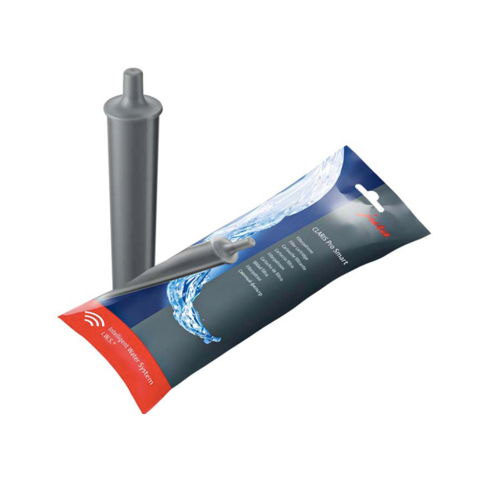
We recommend using the CLARIS Pro Smart+ filter cartridges, available on our site (not the Claris Smart ones).
Multiple Support Options Available
1. The PDF manual: see page 35.
2. The image guide.
3. The text guide.
The Image Guide
This guide shows you, in images, how to change the filter in a Jura X10.

Step by step
As soon as your machine indicates that the filter needs to be replaced (the filter icon turns red):
Keep your Jura X10 in top condition
Regular maintenance helps keep your professional coffee machine running smoothly. Explore our other practical guides.
How to clean your Jura X10 - Step-by-step cleaning instructions
How to descale your Jura X10 - Descaling procedure and precautions
Discover the Jura X10 for your office - Machine features and professional solutions
Keep your Jura X10 in top condition
Regular maintenance helps keep your professional coffee machine running smoothly. Explore our other practical guides.
How to clean your Jura X10 - Step-by-step cleaning instructions
How to descale your Jura X10 - Descaling procedure and precautions
Discover the Jura X10 for your office - Machine features and professional solutions